Installing Diglog: A Circuit Schematic Tool for Ubuntu Beginners
Diglog: A circuit schematic capture tool and simulation environment. How to install it on Ubuntu.
When you're a computer science student and you need to install diglog, the first thing coming to mind is to read the documentation. I read it, and it was not useful for me personally. Then I spent time searching on Google, and found almost nothing. So here is what actually worked.
For the persons who don't know what Log is, it's a circuit schematic capture tool and simulation environment, written by Dave Gillespie. Highlights of the Log system include:
Schematic capture
Netlist generation
Simulation data visualization
and so on... The link to it is here.
Two ways to do this: a bash script that does everything, or by hand. The script is faster, but it's not maintained anymore, so I'm keeping the manual way here too. When the script breaks, that's what you'll need.
Tested on Ubuntu 22.04. It might change on time, but there it is.
The fast way: the bash script
The scripts are by Max Vigne, I tested them. Download the bash script and the patch file from his repo, open a terminal, get into the folder where you downloaded them, and run:
./install-diglog-debian.sh
Take the debian one, not the unix one. The debian script installs libx11-dev for you, the unix one expects you to already have the libX11 development libraries sitting there.
Before you run it, two things you should know, because I would have liked to know them:
It wipes ~/diglog every single time it runs. If you already have circuits saved in there, move them somewhere else first. I'm telling you now so you don't learn it the hard way.
On 64-bit it doesn't use the patch from the repo. It downloads a different one from a URL shortener (ar1.se) and applies it to the source you're about to compile. It works, but you're compiling something you've never seen, from a link that can change whenever. If that bothers you, look at it first:
wget https://ar1.se/GuO0RElRWT -O /tmp/diglog.patch
less /tmp/diglog.patch
It should be a plain diff and nothing else.
That's it for the script. Skip to "Does it work ?" below.
The manual way
First the compiler and the X11 headers. The script does this part for you, so if you're doing it by hand, don't forget it, otherwise make will fail and you'll wonder why:
sudo apt update
sudo apt install -y build-essential libx11-dev
Now you need psys and log. You can get them from the pickup page, or just do it from the terminal:
mkdir ~/diglog && cd ~/diglog
wget http://john-lazzaro.github.io/chipmunk/pickup/sources/psys-1.61.tar.gz
wget http://john-lazzaro.github.io/chipmunk/pickup/sources/log-5.66.tar.gz
tar xzf psys-1.61.tar.gz
tar xzf log-5.66.tar.gz
Here is the part that got me. When you untar them you get folders named log.5.66 and psys.1.61, and the thing you actually need is inside them — a folder named log, and one named psys. You have to move those up into diglog itself. Move them, don't delete anything:
mv log.5.66/log ~/diglog/
mv psys.1.61/psys ~/diglog/
So now inside diglog you have 4 folders: log.5.66 and psys.1.61, both empty now, and log and psys, which are the real ones.
Next the patch. Download diglog32.patch into your diglog folder and run:
patch -p1 < ./diglog32.patchOne thing here I want to be honest about: this is the 32-bit patch. The bash script uses it only on 32-bit machines, and pulls that other one from ar1.se when you're on x86_64. So if you're on 64-bit and the build fails at this step, that patch is the first thing to try instead.
Then compile. Make the bin folder first, the makefiles want it there:
mkdir bin
cd psys/src
make
cd ../../log/src
make
cd ../..
Does it work ?
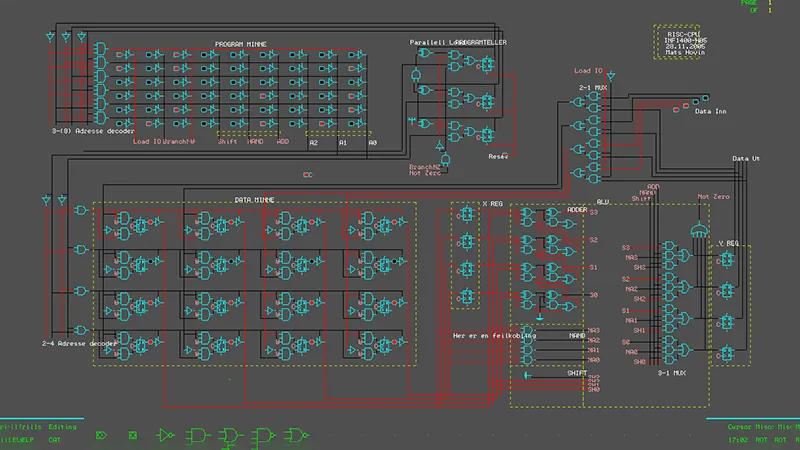
./bin/diglogThe diglog window opens and you're done. Enjoy !
If nothing opens and you get cannot connect to X server, you don't have a display — on WSL or on a server with no GUI you need an X server running and DISPLAY set.
If make failed, you skipped the build-essential line.
If the wget on the tarballs gave you a 404, the Chipmunk site moved things around again. Check the pickup page for the current links.
Once everything works you can delete the tar archives, the two empty folders and the patch file. Keep bin and lib, diglog needs them.